Real MIDI Keyboard Support
Connect any MIDI keyboard over USB or Bluetooth. ChordFrog recognises chords in real time — including inversions and slash chords.
ChordFrog is the free iOS ear training app that grows with you — connect a MIDI keyboard for real-time chord recognition, or use quiz modes anywhere. Five progressive levels take you from simple triads to the full chord vocabulary, and any chord you like can become a video challenge you post.
Scan to install on your iPhone
Free · iOS 16 or later
Free on the App Store MIDI Keyboard Support Play Without a Piano 5 Progressive Levels Shareable Chord Challenges
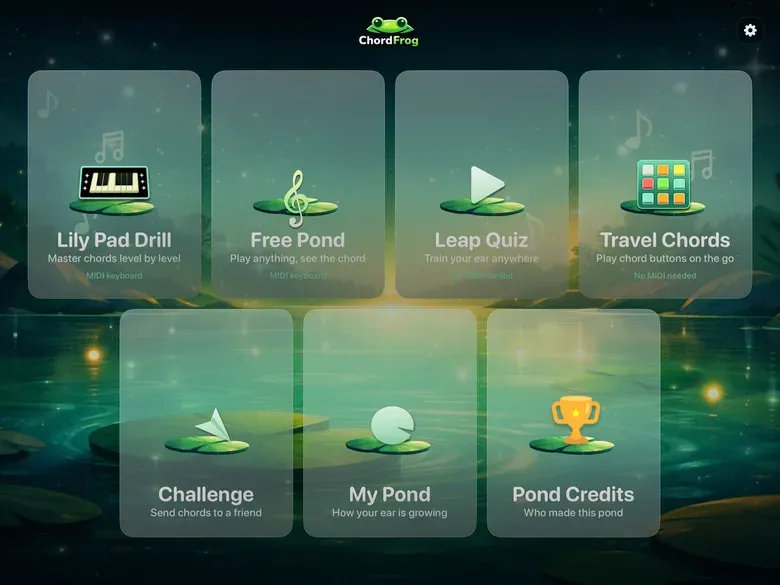
Landscape on iPhone · Portrait, landscape & resizable windows on iPad
Connect any MIDI keyboard over USB or Bluetooth. ChordFrog recognises chords in real time — including inversions and slash chords.
Hear target chords played with a premium piano sample library and train yourself to identify them by sound alone.
Leap Quiz and Travel Chords modes work anywhere — on the bus, in a waiting room, whenever you have a few minutes.
Five levels grow from campfire essentials to seventh chords, suspended colours, diminished shapes, sixths, and more.
Ten questions per round, three tries per chord, up to 100 points. First-try answers score 10; second try 6; third try 3 — so accuracy matters.
Hear every chord exactly as written, played with a rich grand-piano sound — then replay it whenever you need another listen.
Whether your keyboard is plugged in or packed away, ChordFrog has a mode for the moment.
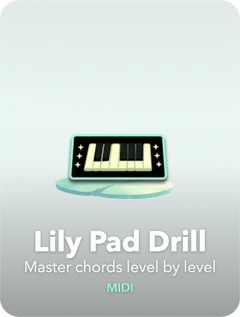
Pick a level, listen to the mystery chord, then play it on your keyboard. Ten questions per round, three tries per chord, up to 100 points — every attempt counts.
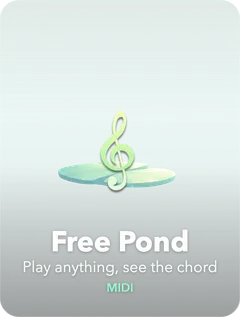
Just play. ChordFrog identifies every chord in real time — triads, seventh chords, slash chords — and shows the name, inversion, and pitch classes instantly.
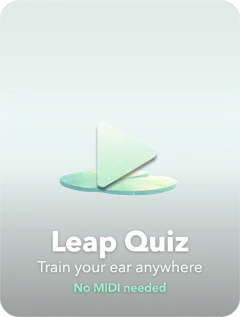
Four options. One chord. Ten questions per round, three tries each, up to 100 points — the same scored format as Lily Pad Drill, no keyboard required.
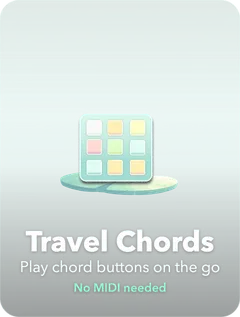
Tap any chord to hear it. Browse all practice-level chords grouped by level — a handy audio reference you can reach for anytime, anywhere.
Two screens that are not practice: one turns a chord into something you can post, the other shows you exactly which chords are still beating you.
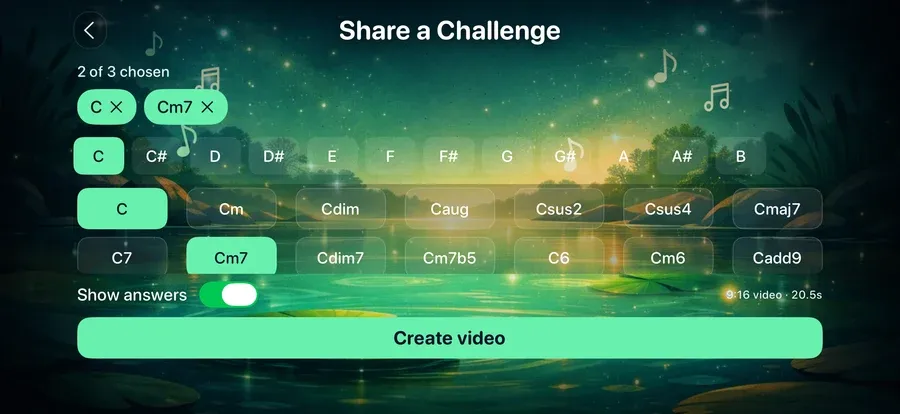
Pick up to three chords. ChordFrog renders a 9:16 video — the chord plays, the frog counts down, then the answer lands. Leave Show answers off instead and it ends on a cliffhanger, so people have to guess in the comments.
It goes out through the normal iOS share sheet, which means TikTok, Instagram, Messages, or anywhere else you would send a video. Ten to twenty-five seconds, depending on how many chords you picked.
You can also build one straight from a Leap Quiz round you just finished, pre-filled with the chords you got wrong.
Here is one it made — sound on.
Twenty seconds, 9:16, straight out of the app. Nothing here was edited.
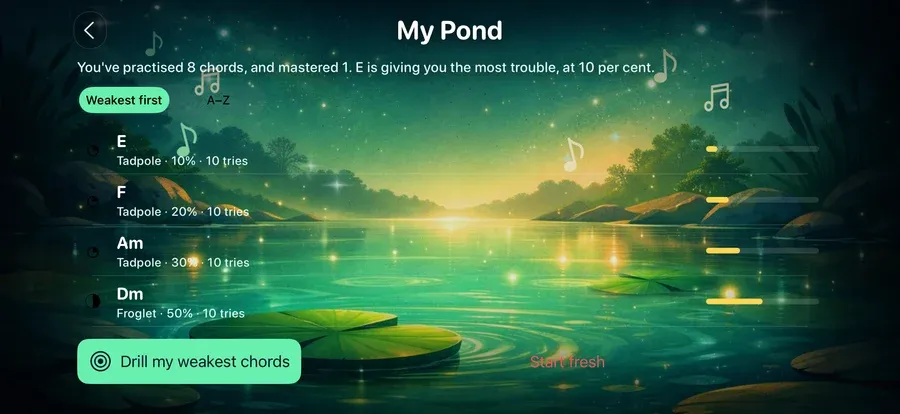
Every chord you have practised, weakest first. Mastery shows as pond growth — tadpole, froglet, frog — with the percentage and attempt count underneath.
Drill my weakest chords builds a Leap Quiz round out of the five you keep missing. No choosing a level, no picking chords — the app already knows which ones are the problem.
ChordFrog has been recording this since version 1.0.2. Version 1.1 is the first time it showed anyone.
ChordFrog answers Siri and works in Shortcuts, with no setup at all — the phrases are registered by the app.
The last one answers out loud, without opening the app.
Follow the path of a real musician — from campfire classics to the full harmonic vocabulary.
Common chords in pop & folk
All major and minor chords
Add dominant 7th & major 7th
Add minor 7th, sus2 & sus4
Everything — dim, aug, 6ths & more
Common chords in pop & folk
All major and minor chords
Add dominant 7th & major 7th
Add minor 7th, sus2 & sus4
Everything — dim, aug, 6ths & more
No. ChordFrog has two modes that work without a keyboard: Leap Quiz (multiple-choice ear training) and Travel Chords (tap to hear any chord). For Lily Pad Drill and Free Pond, a MIDI keyboard is required for real-time chord recognition.
ChordFrog works with any class-compliant USB MIDI keyboard when used with a suitable adapter (e.g. Lightning or USB-C). Bluetooth MIDI keyboards are also supported on compatible iOS devices, so you can connect wirelessly.
In Free Pond (real-time recognition mode), ChordFrog identifies 24 chord types across all 12 roots: major, minor, diminished, augmented, sus2, sus4, major 7th, dominant 7th, minor 7th, diminished 7th, half-diminished (m7♭5), major 6th, minor 6th, add9, minor add9, and — added in version 1.1 — 9, maj9, m9, 13, m11, 7♭9, 7♯9, 7♭5 and 7♯5. Slash chords and inversions (C/E, C/G) are named too. Those nine extended and altered chords are recognised only: quizzes still ask for the same 15 types as before, so recognition can grow without the game quietly getting harder.
Yes, since version 1.1. A seventh chord voiced without its fifth — root, third and seventh, which is how most pianists actually play one — is now named correctly instead of coming up blank. The fifth is the only note ChordFrog will let you leave out, because it carries no information the root does not already imply. The root is deliberately not optional: a rootless C9 is literally the notes of an Em7♭5, and guessing between them would turn a correct answer into a coin flip.
Level 1 (The Campfire) covers the most common chords in pop and folk — white-key majors plus Am, Em, and Dm. Level 2 (The Session) adds all remaining major and minor chords. Level 3 (The Gig) adds dominant 7th and major 7th. Level 4 (The Studio) adds minor 7th, sus2, and sus4. Level 5 (The Abyss) includes everything — diminished, augmented, 6ths, and more. You can practise any level in Lily Pad Drill or Leap Quiz.
Yes. Start with Level 1 and Leap Quiz or Travel Chords to build familiarity without any equipment. Ten-question rounds make progress easy to fit into the day. When you have a MIDI keyboard, Lily Pad Drill adds real-time physical playing to the mix.
ChordFrog requires iOS 16 or later. It runs on iPhone and iPad. For MIDI, use a Lightning or USB-C adapter for USB MIDI, or a Bluetooth MIDI keyboard where supported.
Yes — free to download, and every mode is available from the moment you install it. Nothing is held back behind a purchase. ChordFrog pays for itself with ads: Google AdMob shows a banner and an occasional full-screen ad between rounds. A one-off Remove Ads purchase is built and waiting on App Store paperwork; when it goes on sale it will remove the ads and nothing else, because there is no extra content to unlock. The privacy page sets out exactly what the ads involve.
Yes. Share a Challenge lets you pick up to three chords and renders a 9:16 video — the chord plays, a countdown runs, then the answer appears. Turn Show answers off and it ends on a cliffhanger instead, so viewers have to guess. The finished video goes out through the normal iOS share sheet, so it works with TikTok, Instagram, Messages or anything else on your phone. You can also build one straight from a Leap Quiz round you just played, pre-filled with the chords you missed.
My Pond shows every chord you have practised, weakest first. Mastery appears as pond growth — tadpole, froglet, frog — with the percentage and the number of attempts underneath. "Drill my weakest chords" starts a Leap Quiz round built from the five chords you keep getting wrong, so you do not have to work out what to practise. The app has been recording this since version 1.0.2; version 1.1 is where it became visible.
Yes, with no setup. Say "Start an ear training drill in ChordFrog", "Drill my weakest chords in ChordFrog", or "How is my ear training going in ChordFrog" — the last one answers out loud without opening the app. The same actions are available as blocks in the Shortcuts app.